Free WordPress plugin · 3,000+ active installs
Find the pages your visitors can’t.
See what visitors search for, and which searches come up empty.
- 5 out of 5 from 30 ratings on WordPress.org
- Data stays in your own database
| Search term | Searches | Results |
|---|---|---|
| linen shirt | 212 | 18 |
| gift card | 142 | 0 |
| size chart | 96 | 0 |
| summer sale | 88 | 9 |
| return policy | 71 | 0 |
| wool socks | 64 | 6 |
Example data
How it works
Install it, and every search gets recorded.
Install from WordPress.org
It’s free and listed in the plugin directory. No account and no API key.
Visitors search as usual
Every search from your site’s search box is saved with the number of results it found, including WooCommerce product searches.
Open Search Analytics
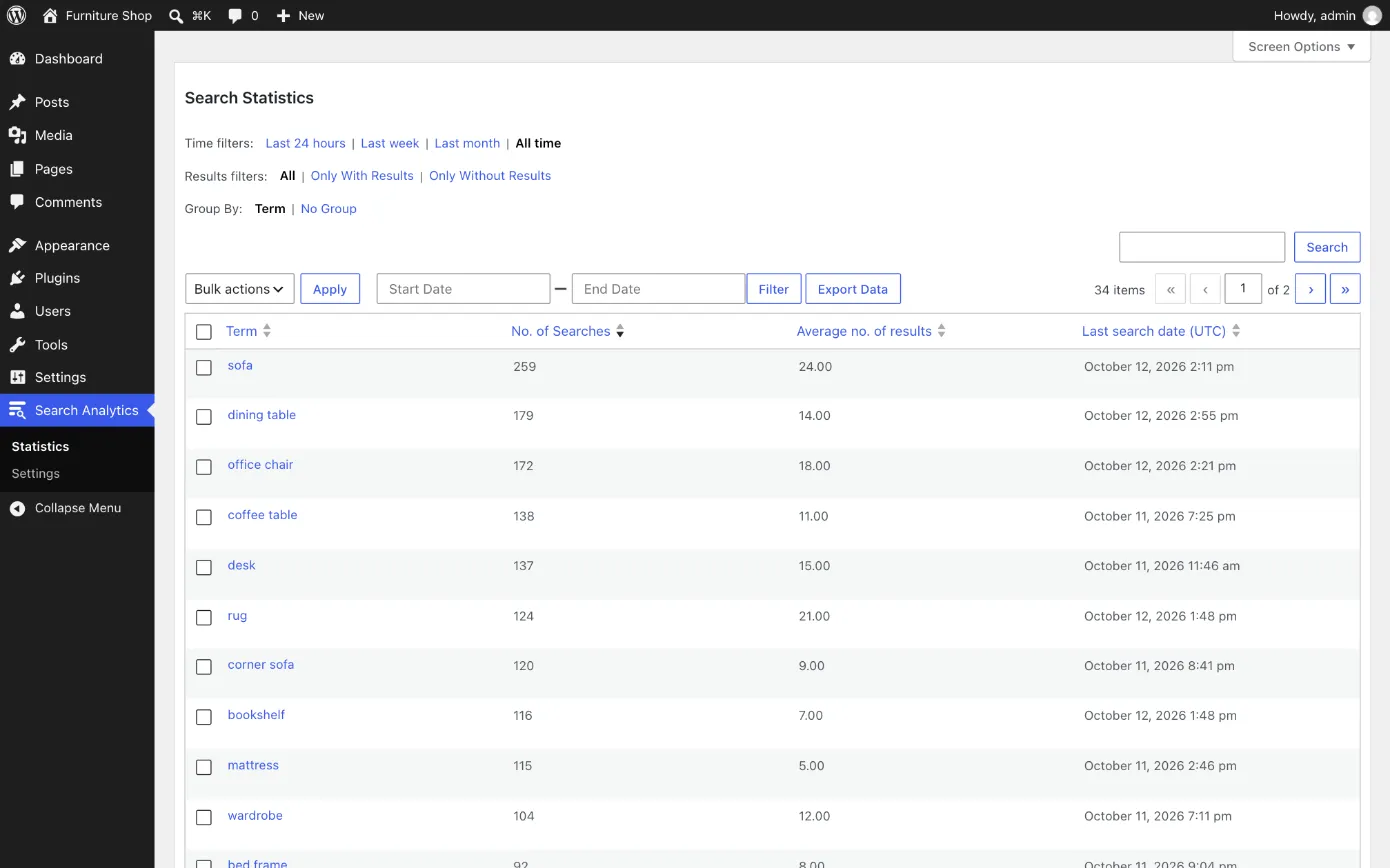
See your top terms, filter to the searches with no results, and export any view to CSV.
Everything in the free plugin
All of it is free on WordPress.org.
Every search recorded
Theme search boxes, the WooCommerce product search and wpForo. A live search can be recorded too, with one line of code.
Searches with no results
Filter to the searches that found nothing, and fix those first.
Results for every term
How many searches each term got, how many results it found on average, and when it was last searched.
Bots left out
Crawlers, AI assistants, link previews and scripts are skipped, and so are junk searches that contain a link or HTML.
Your own searches left out
Ignore your role even after you log out, plus listed IP addresses, very short terms, blocked words and repeats.
Charts and time filters
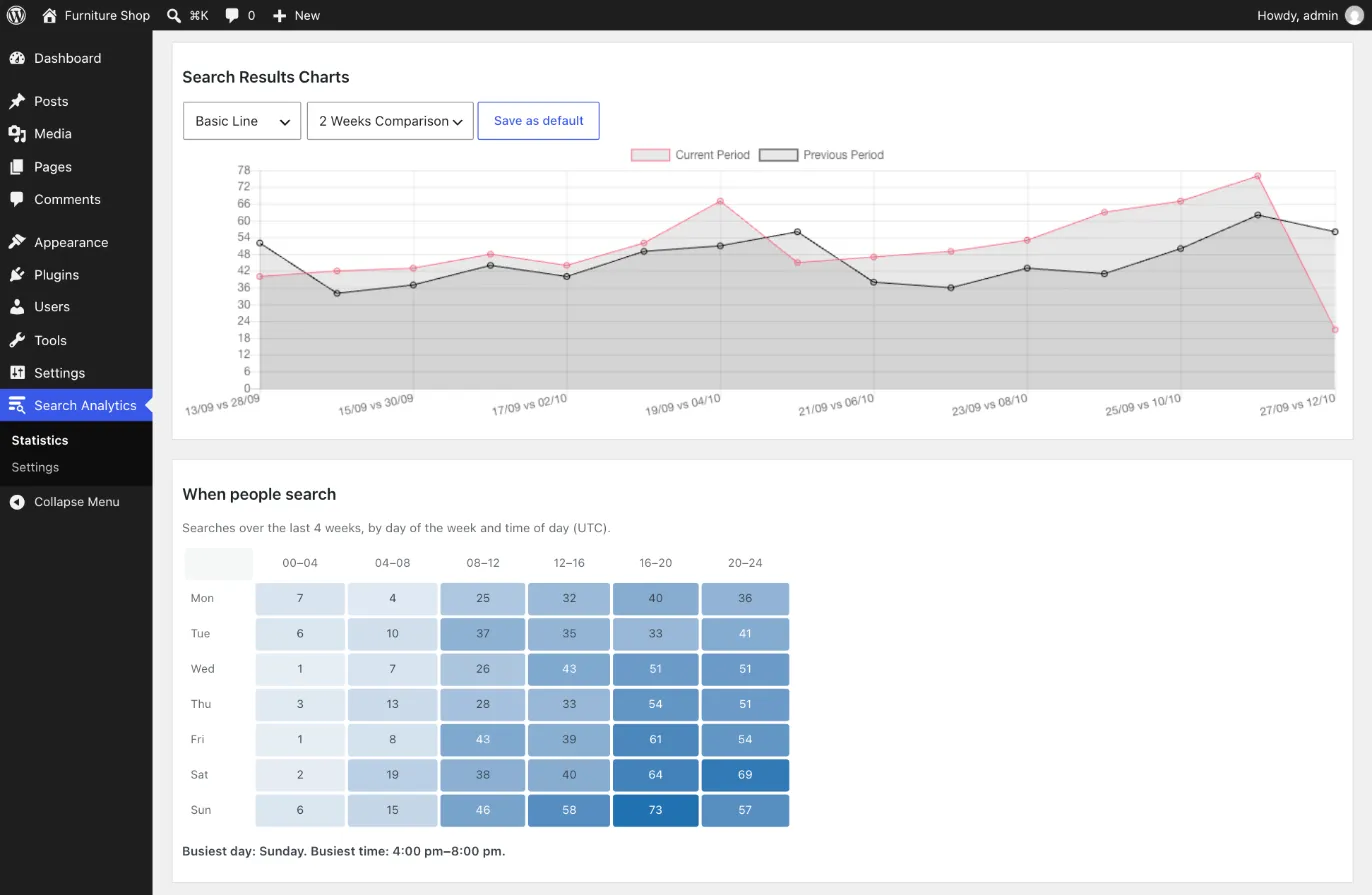
Compare with the previous period, see the days and hours people search most, and pick any date range.
Export to CSV
Download exactly the view you’re looking at.
Dashboard widget
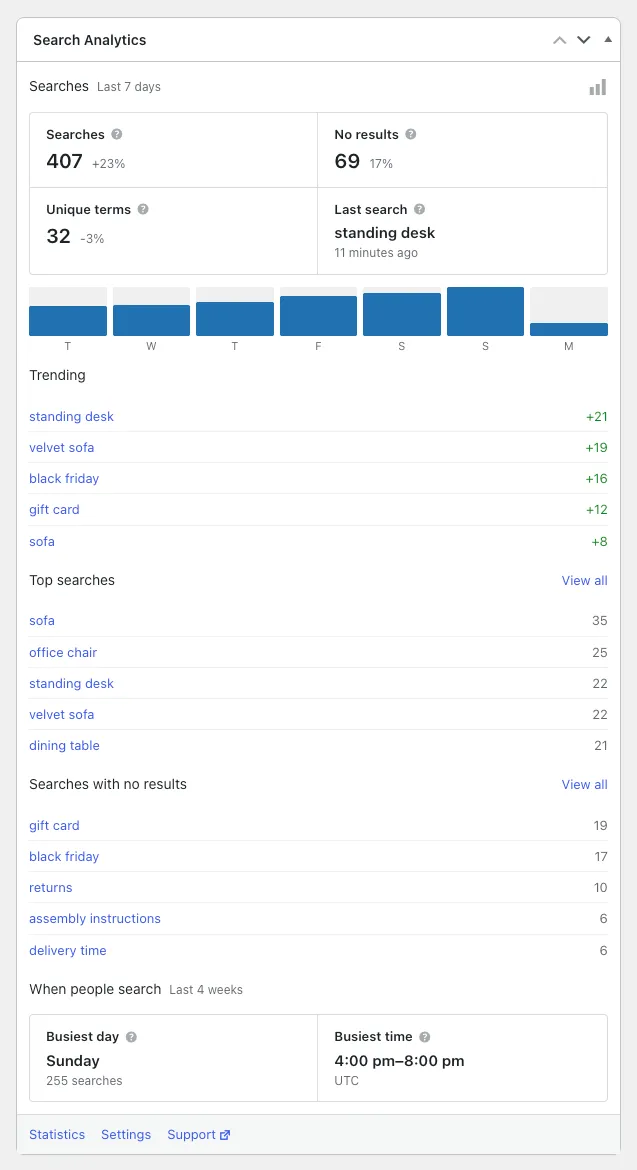
The last 7 days against the week before, with trending terms and searches that found nothing.
Blocks and shortcodes
Show popular or latest searches on your site with two blocks, or the matching shortcodes.
Country of each search
Optional and off by default, because it sends visitors’ IP addresses to a lookup service.
Access by role
Choose which roles can view the statistics and which can change the settings.
Multisite
Each site in the network keeps its own data. Translation-ready too.
Your data stays in your database
Every statistic is saved in your own WordPress database. There’s no analytics service and no account to create. Nothing leaves your site unless you turn on the country lookup.
Open source, built in the open
The code is on GitHub: read it, open an issue, or send a pull request. Security reports go through Patchstack’s disclosure program.
View on GitHubRated 5 out of 5 on WordPress.org
Read all 30 reviews“The plugin is exactly what I need! Also I really appreciate help from the author who has advised me how to connect the plugin to my custom theme!”
“A very useful module to understand your customers’ desires and needs.”
“Great plugin, prompt reply and fix.”